
Generate & auto-rig 3D characters.
Turn a prompt or one piece of concept art into a 3D character mesh, then solve a skeleton and per-vertex skinning weights on it.
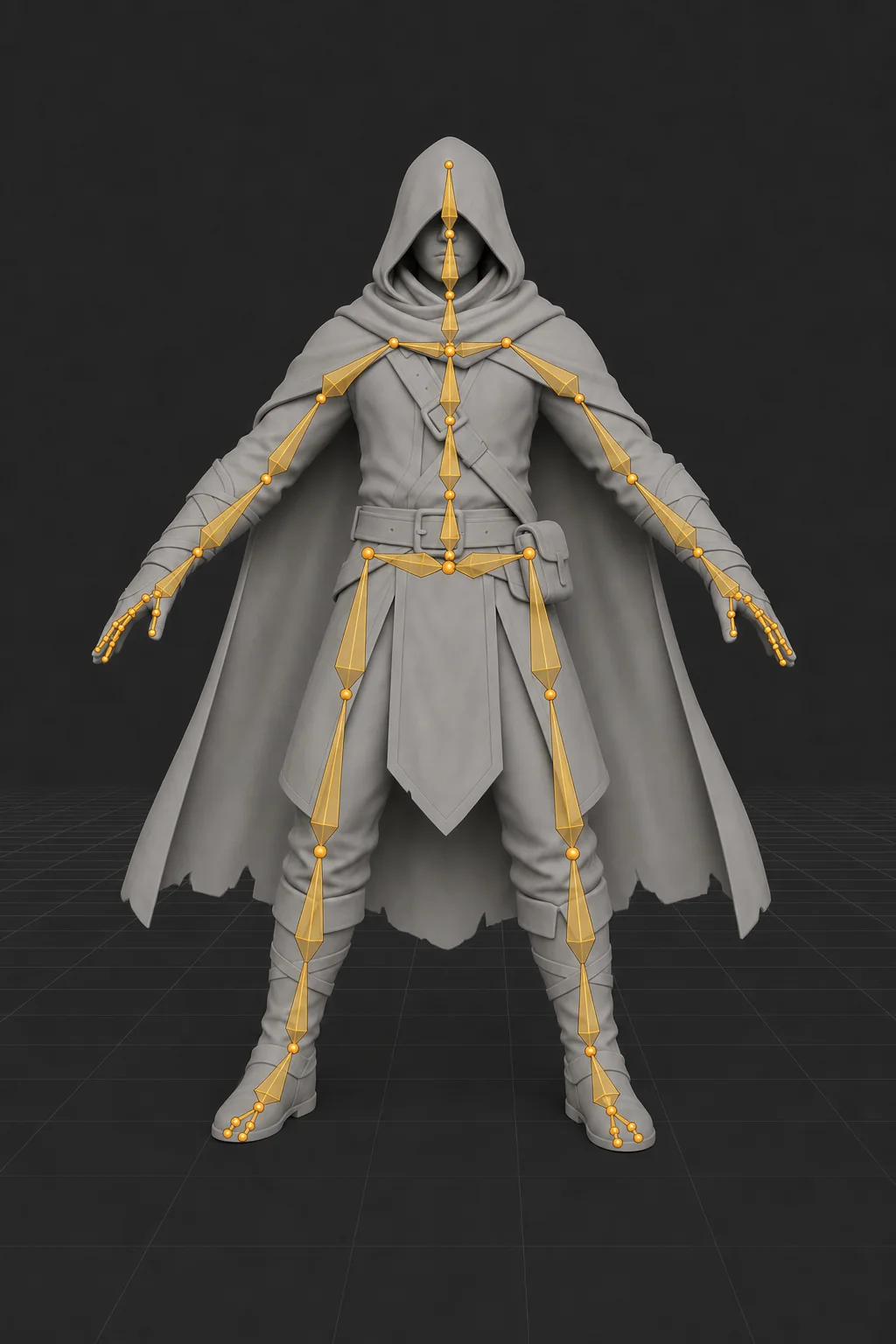
A skeleton that fits the shape it is given
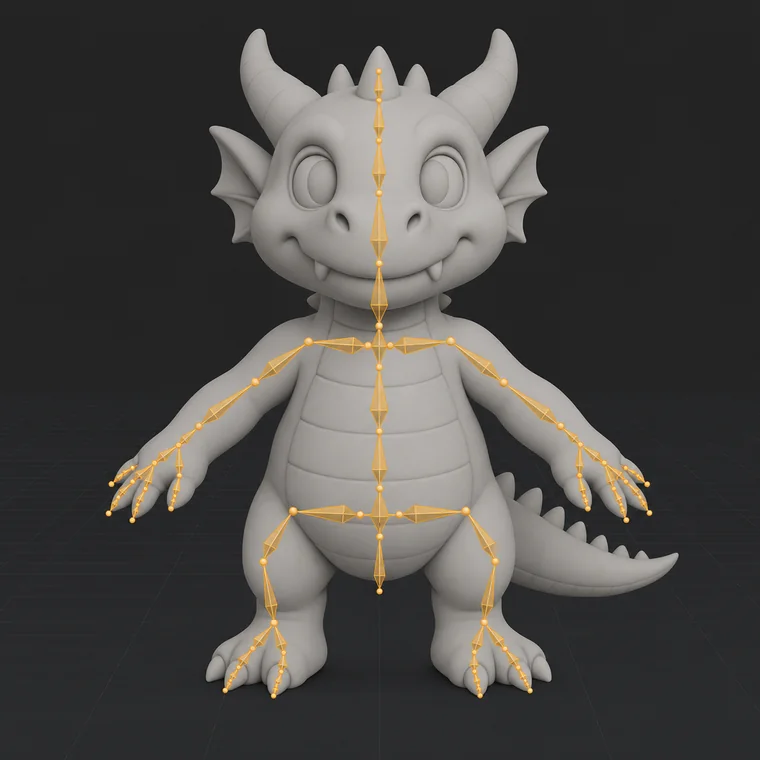
Bones are placed from the geometry itself, not snapped to a fixed humanoid template. The same pipeline handles a dwarf, a robot dog and a cartoon dragon without per-category setup.
- Joints land inside the volume, not on the surface
- Limb chains follow the mesh, however many there are
- Weights are fitted per vertex, not painted by hand
A clay-shaded character in a modelling viewport with no skeletonMeshRigged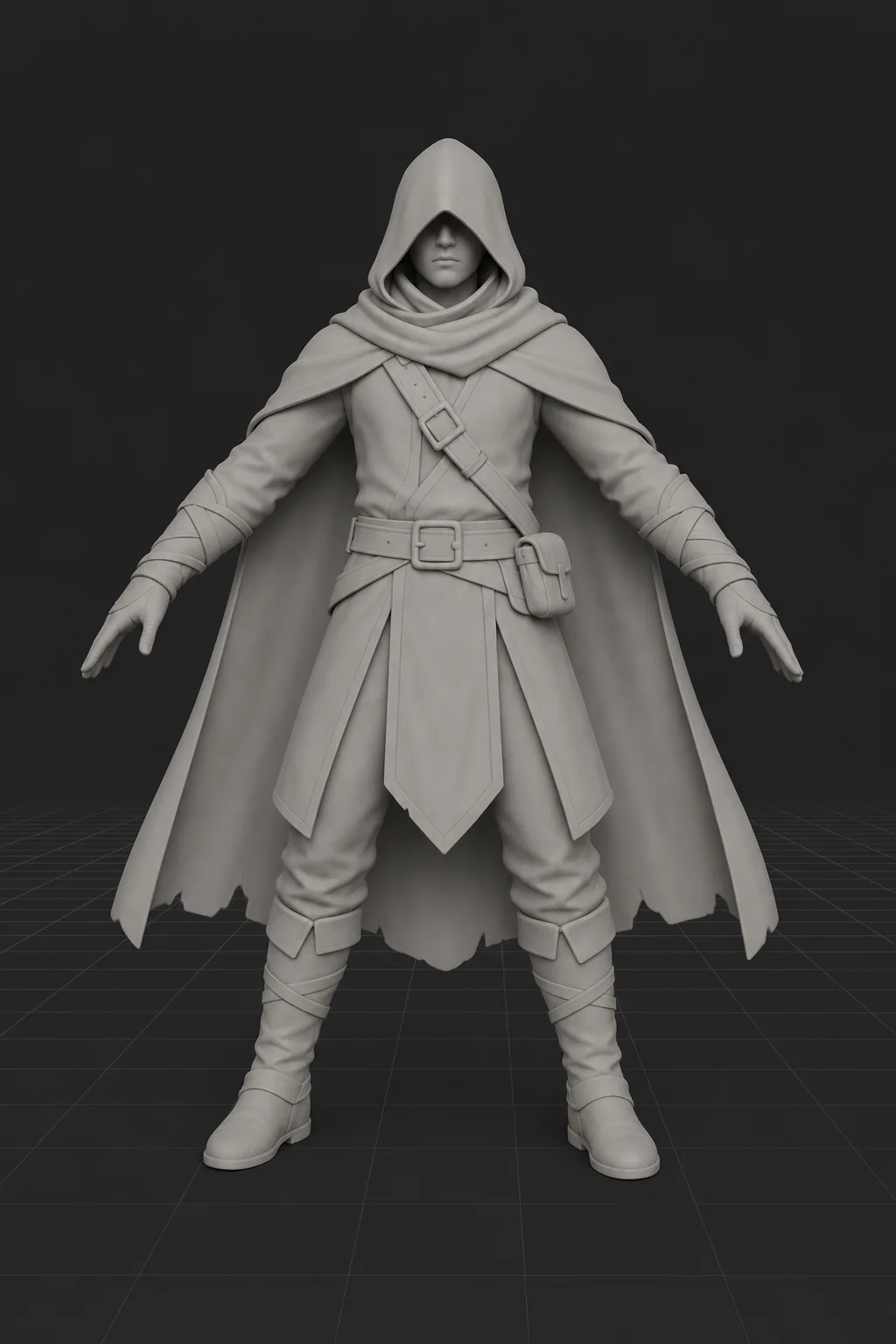
Drag to reveal the generated skeleton
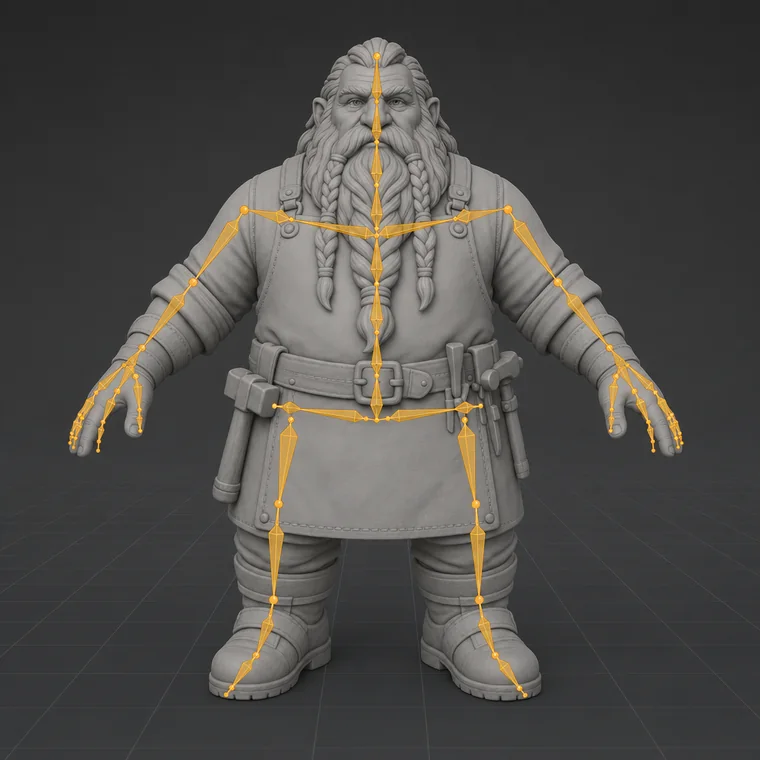
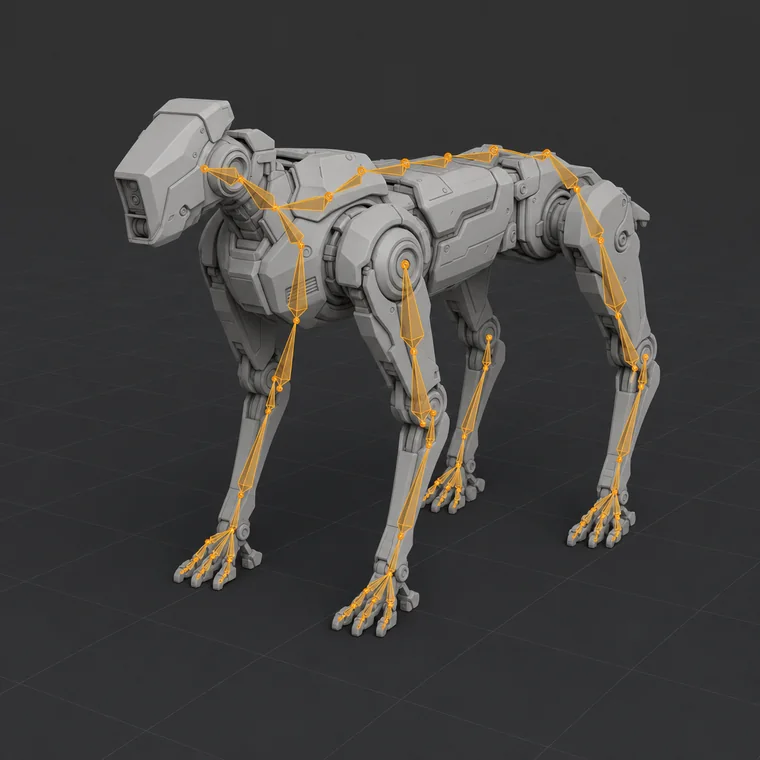
One pipeline, every body plan
Humanoids, quadrupeds and creatures go through the same two recipes.
Illustrations of the kind of rig the pipeline produces.
Three choices and a button
Pick a source, pick a face budget, run it. The cost and your balance are on the run button before you press it.
Cyberpunk street samurai with lightweight composite armor and a mechanical arm
Target faces- 1 Queued
- 2 Processing
- 3 Storing outputs
- 4 Saved to library
The job keeps its identity across reloads, so a queued or uncertain run is never shown as finished and never charged twice.
Source in, rigged asset out
- 01
Bring a source
Type a description of the character, or upload one concept image. Uploads are stored on your account before anything runs.
- 02
Geometry is built
Hunyuan 3D turns the prompt or image into a mesh at the face count you choose, with optional PBR materials.
- 03
The skeleton is solved
Pick a generated or uploaded mesh and run UniRig: it predicts a bone hierarchy and fits skinning weights per vertex.
- 04
Download and keep
Every finished run is saved to your library with its files. Download links are re-signed on demand.
What lands in your library
A stored 3D mesh
The geometry the recipe produced, saved as a durable asset on your account rather than a link that expires.
A predicted bone hierarchy
UniRig places joints from the shape it is given, so quadrupeds and creatures go through the same pipeline as humanoids.
Per-vertex skinning weights
Each vertex is bound to the bones that move it, so the mesh deforms instead of shearing at the joints.
The files, exactly as returned
You download what the pipeline produced. Nothing is re-exported, converted or repackaged on your behalf.
Choose the face budget
A denser mesh looks better in a still and animates worse. Pick for the job.
Built for people shipping on a deadline
Indie game teams
You can model. You cannot spend three days weight-painting every NPC. Rig the background cast in an afternoon and hand-finish only the hero.
Previz and animatics
Blocking a shot does not need a production rig. Get something posable quickly, decide the camera, then commit to real assets.
XR and simulation
Bulk-rig generated or uploaded characters so they deform properly instead of sliding around as rigid bodies.
The details
- Mesh formats in
- GLB, OBJ, FBX or VRM
- Image formats in
- PNG · JPG · WebP, 128–5000 px, up to 6 MB
- Prompt length
- 1 – 1,024 characters
- Face count
- 40,000 – 100,000 (default 40,000)
- Textures
- Optional PBR material generation
- Geometry recipe
- hunyuan_3d v1
- Rigging recipe
- unirig v1
- Files out
- The stored files each recipe returns
An automated rig is a strong starting point, not a substitute for a technical animator on a hero character. Expect to hand-correct weights around problem joints, and check the returned files against your own pipeline — no conversion or export format is guaranteed.
Credits, not subscriptions
Buy credits up front and spend them per run. Signing up grants zero credits.
- 100 credits for 3D modeling and rigging
- Approx. 20 mesh generations or 33 rigs
- Credits never expire
- 300 credits for asset batches
- Approx. 60 mesh generations or 100 rigs
- Best value per generation
- 800 credits for full game and anim pipelines
- Approx. 160 mesh generations or 266 rigs
- Highest credit volume
Before you sign up
What can I give it as a source?
For mesh generation: one text prompt of up to 1,024 characters, or one uploaded concept image (PNG, JPG or WebP, 128–5,000 px, up to 6 MB). For rigging: a mesh you generated here, or one you upload as GLB, OBJ, FBX or VRM.
What do I actually get back?
Stored, downloadable 3D files — the ones the recipe returns. We do not promise a particular container, a conversion, or an export tuned for a specific engine. Check the files against your pipeline before you build on them.
Does it produce animation?
No. The rigging run predicts a skeleton and solves skinning weights. Motion is not generated. Animate it yourself or drive it with a motion library your engine already uses.
How many faces should I ask for?
Between 40,000 and 100,000. The default of 40,000 is the right choice for anything you intend to rig and animate; denser meshes look better in stills and are slower to work with.
How long does a run take?
Both recipes run on GPUs that start on demand, so a run is minutes rather than seconds. The studio keeps your job identity across reloads, so you can close the tab and come back to it.
How does billing work?
Credits, bought up front, with no subscription. Signing up grants zero credits. Each submitted run is charged at the rate shown on the button before you press it.
What happens when a run fails?
Failed and cancelled runs are reconciled by the platform and the run stays in your history with its real status. The studio never shows a queued or uncertain run as a finished result.
Rig your first character
Draft a prompt now, create an account when you want to run it, and add credits at the rate on the button.